Scenario:
This document is to show how to delete a domain in RedSift portal.
| Important: Make sure that your account has owner admin access permissions |
Process:
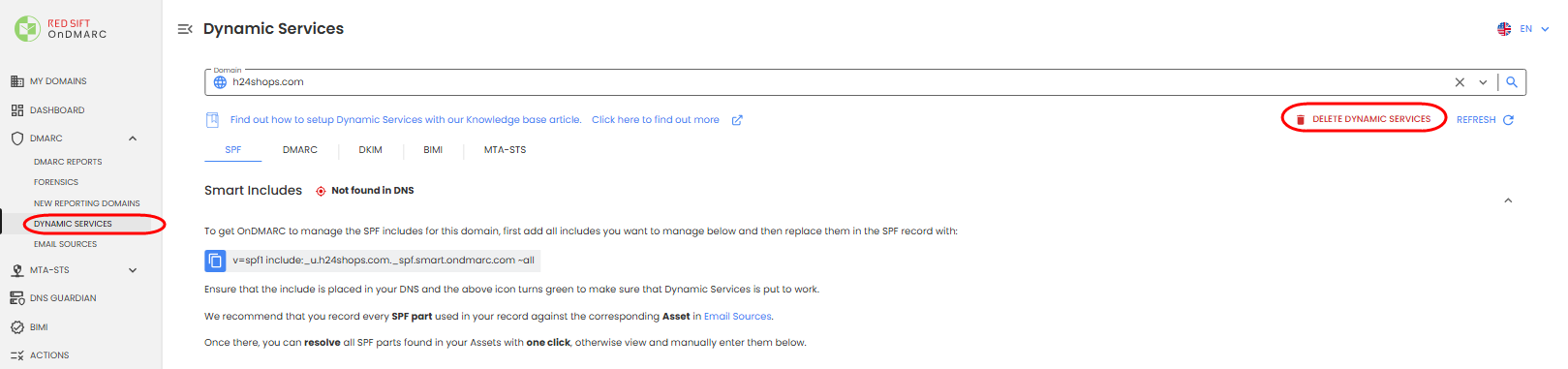
You will first need to delete Dynamic Services of the domains. This can be done by navigating to the DMARC>Dynamic Services. From this page you will click the 'Delete Dynamic Services' button and confirm deletion.
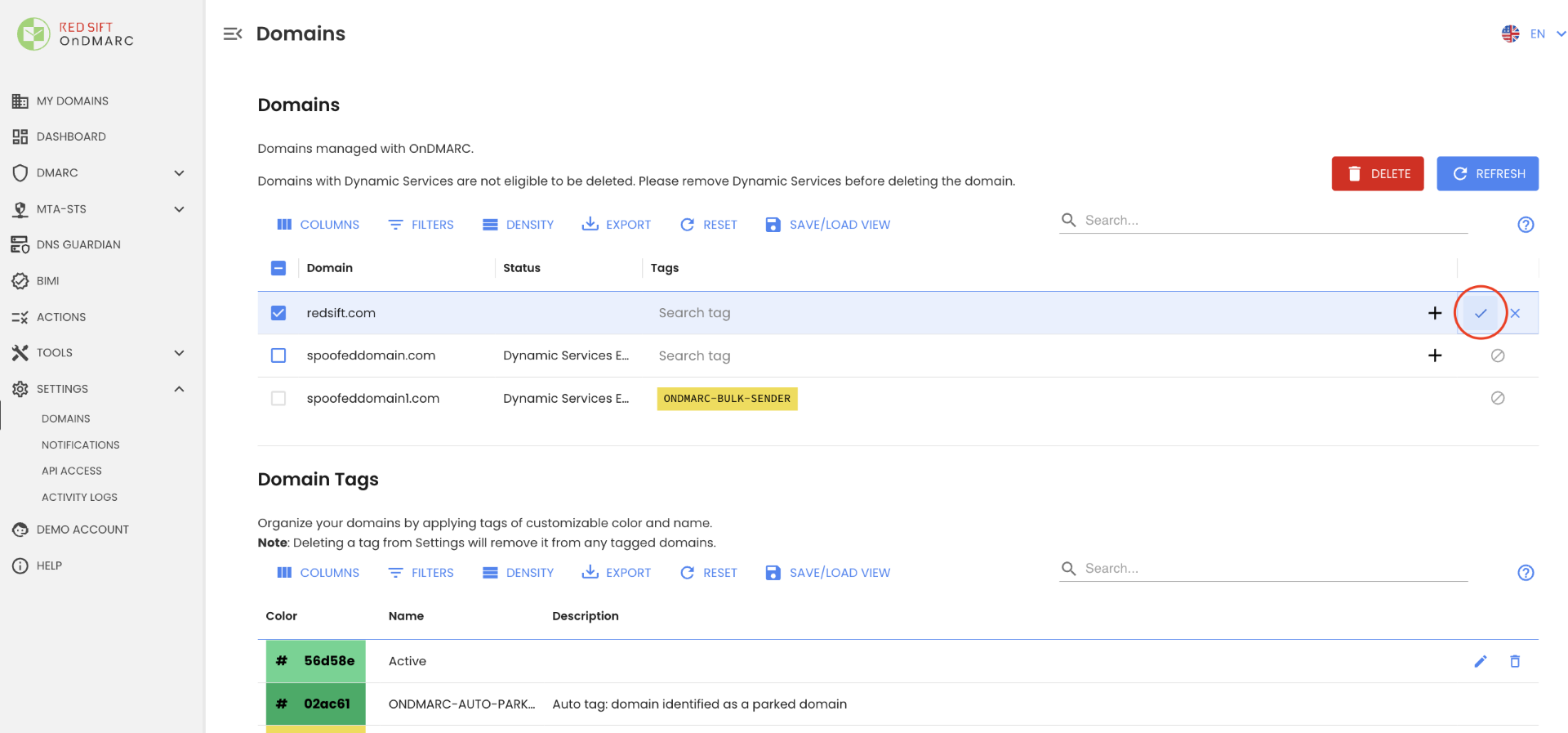
Once Dynamic Services have been deleted, you can delete the domain from the account(s) by navigating to 'Settings'Domains' and clicking the 'Trashcan' icon next to the domain <Figure 1>. Click the Check mark to confirm deletion <Figure 2>.
Figure 1:
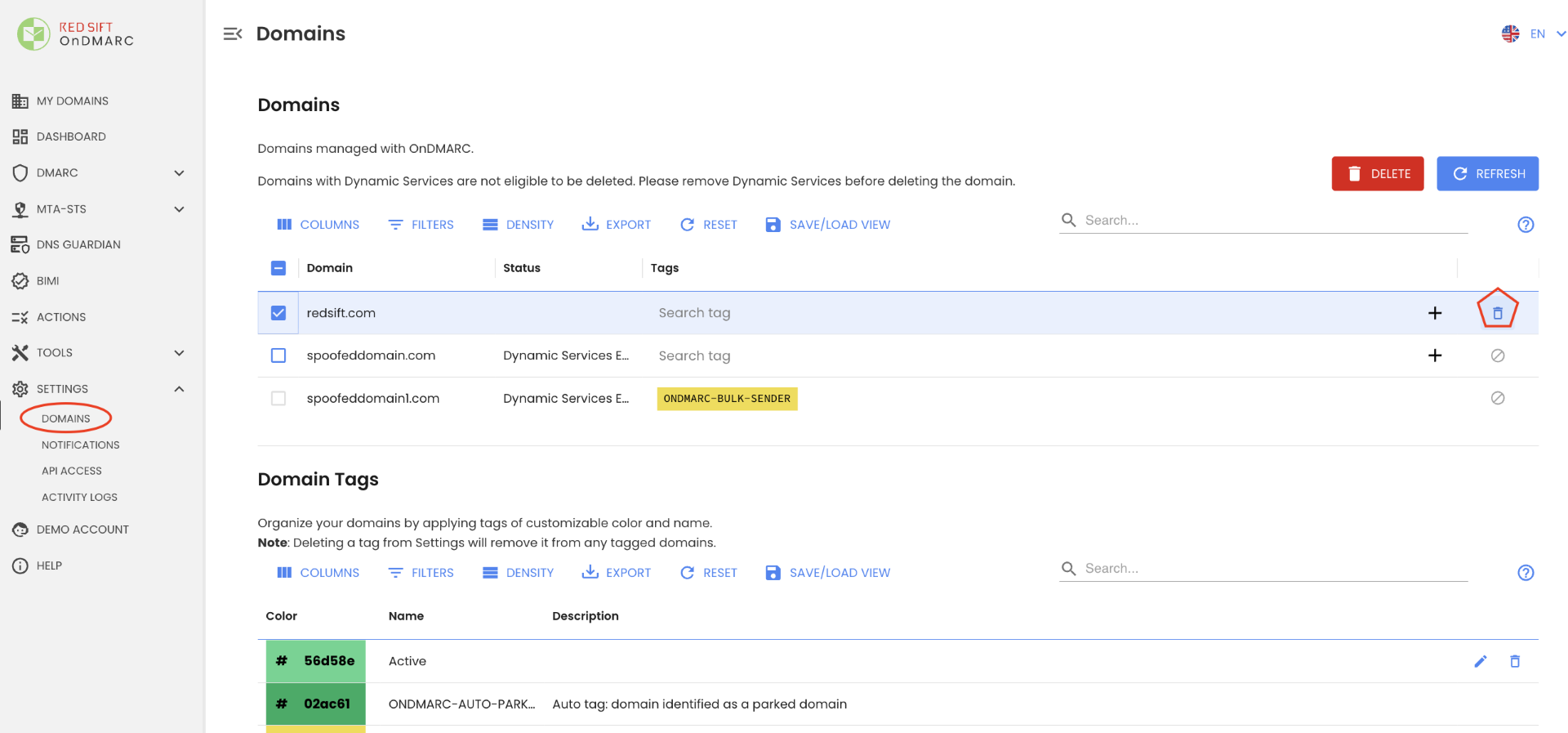
Figure 2: