- Sign in to the Check Point / Avanan administrator portal and select the customer’s tenant.
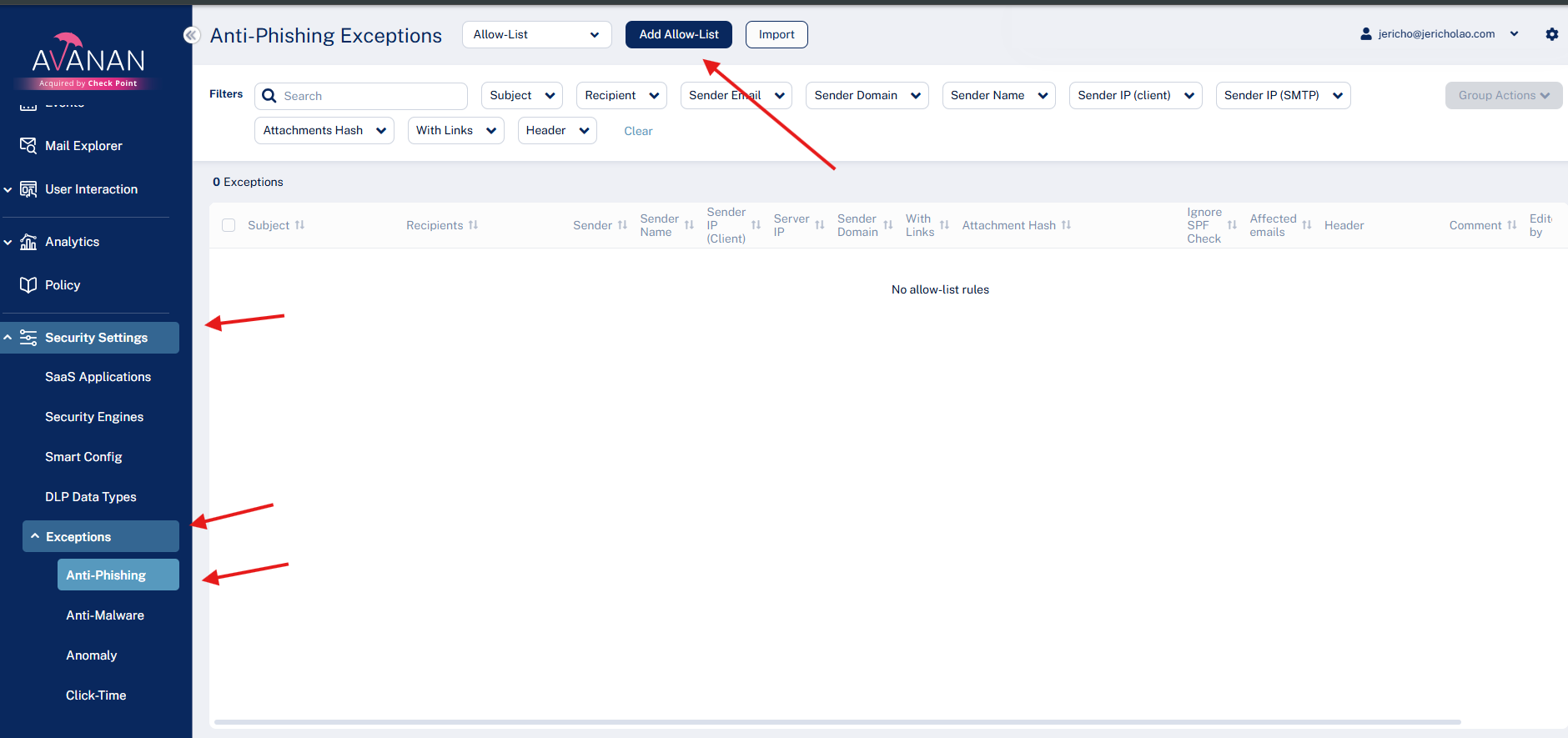
- Navigate to Security Settings → Exceptions → Anti-Phishing.
- Select Allow-List from the dropdown.
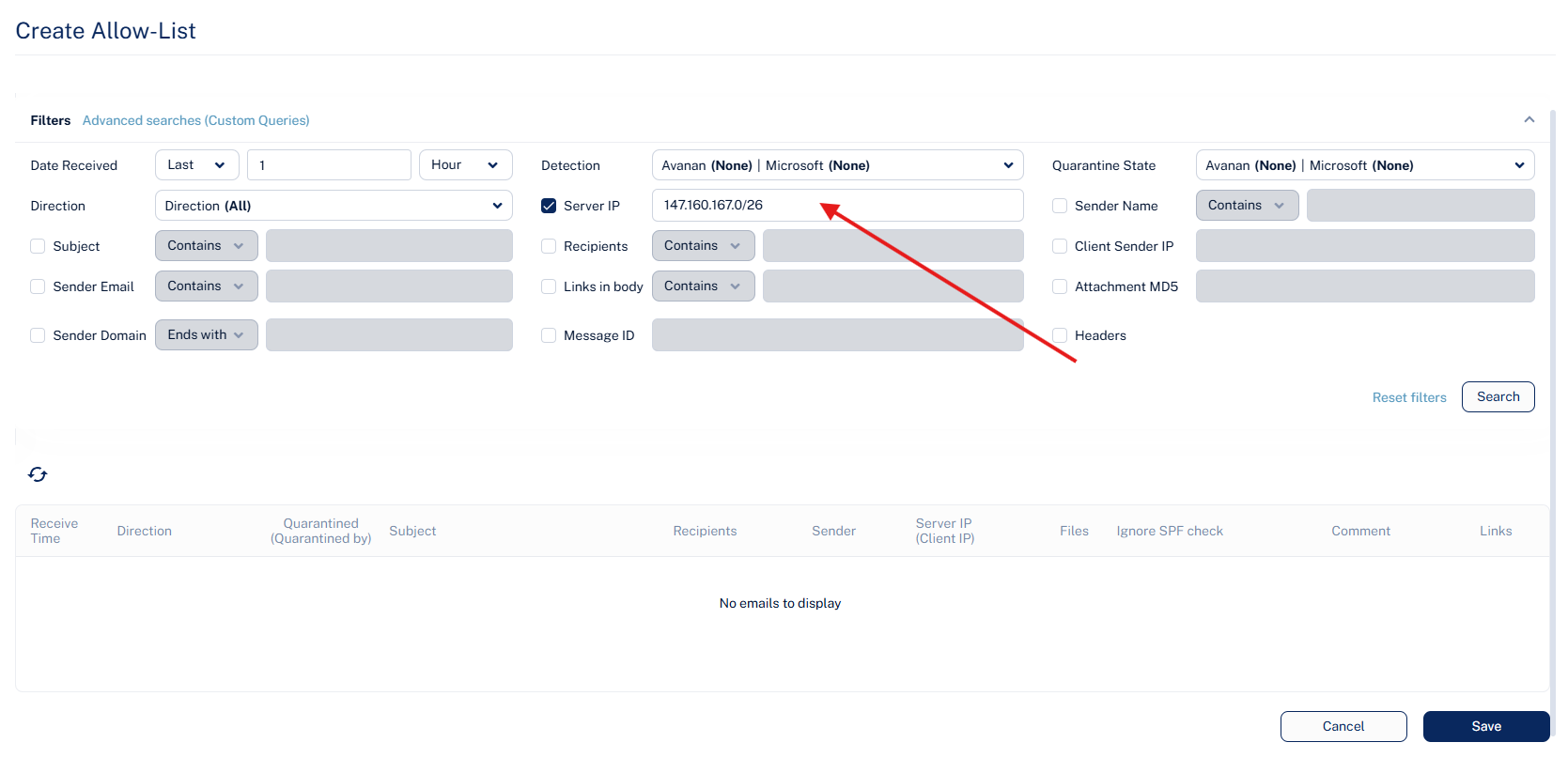
- Under Filters, select Server IP.
- Enter a KnowBe4 IP address or CIDR range from the applicable list.
| IP Addresses | Messages Sent |
|---|---|
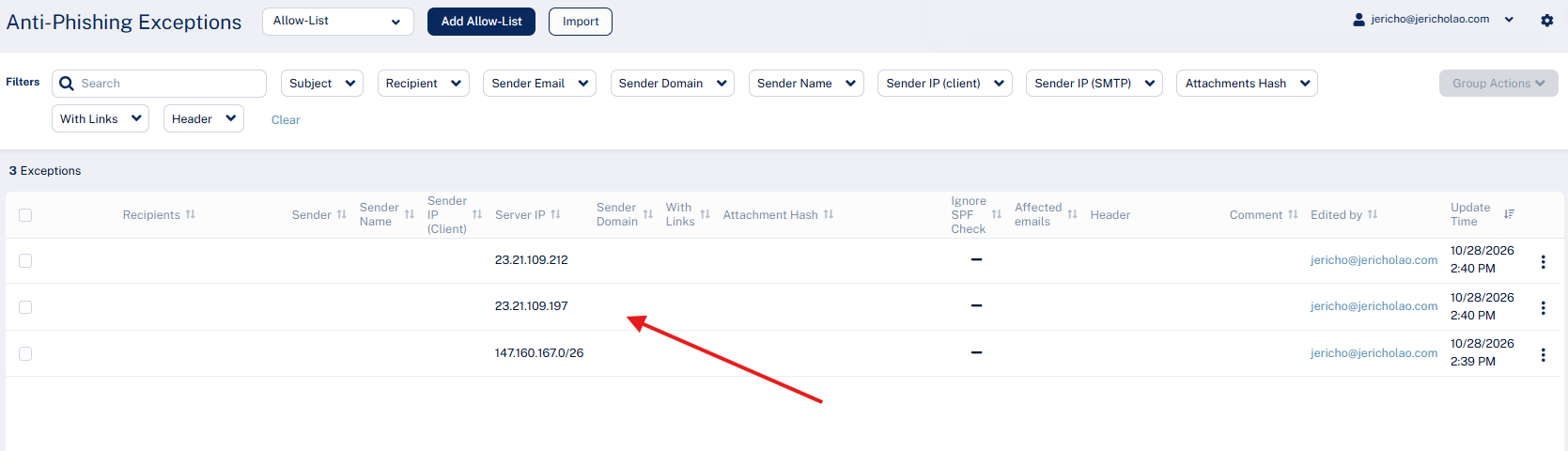
147.160.167.0/26 Note: "/26" indicates the IP range 147.160.167.0 - 147.160.167.63. If your whitelisting provider doesn't allow for an IP range, each IP in this range will need to be entered individually. For more information, see Microsoft's Understand TCP/IP addressing and subnetting basics article. | Current IP addresses for training notifications Future IP addresses for PSTs |
23.21.109.197 23.21.109.212 | Current IP addresses for training notifications and PSTs |